Introduction to TODOseq
What is TODOseq?
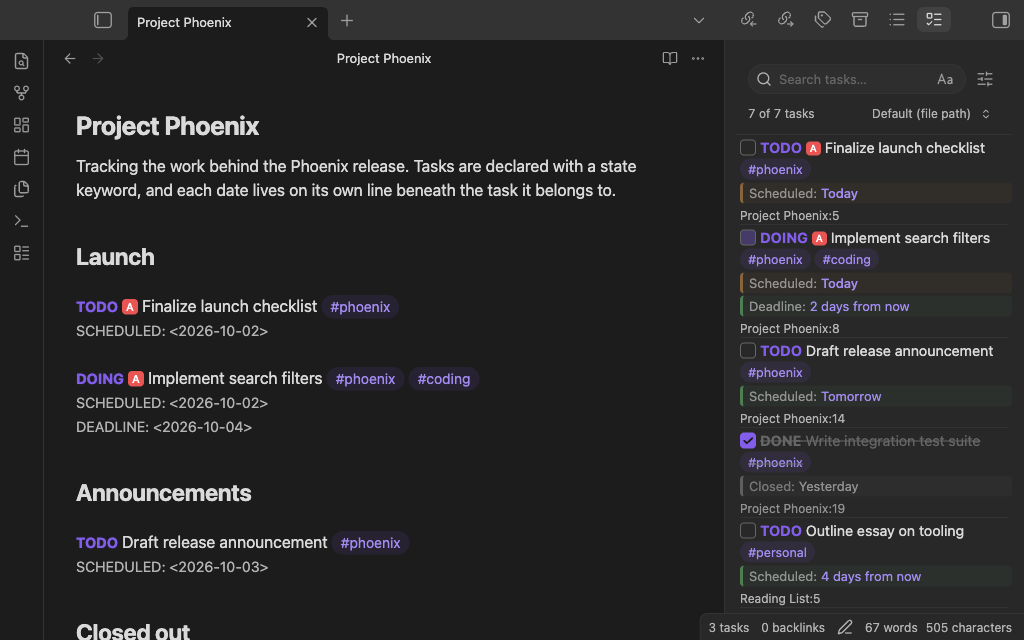
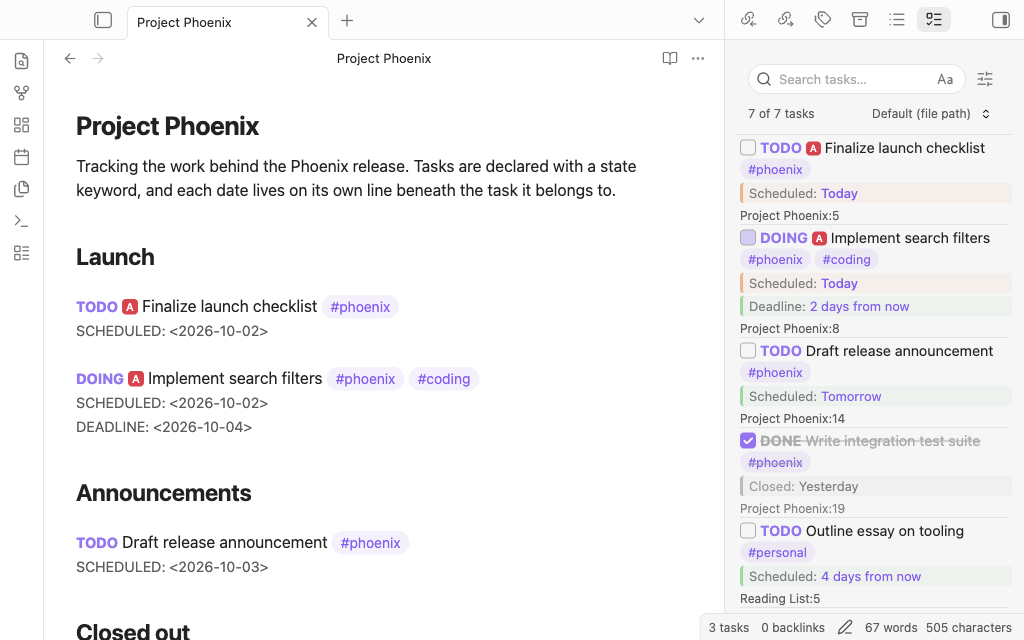
TODOseq ("to-do-seek") is a lightweight, keyword-based task management plugin for Obsidian that brings Org-mode and Logseq-style task tracking to your knowledge base. Unlike traditional checkbox-based task managers, TODOseq uses simple state keywords to define and manage tasks throughout your vault.
Task Management Philosophy
TODOseq draws inspiration from the task management approaches in Logseq and orgmode, where tasks are captured in context with the notes and journals they relate to. This allows for a more natural workflow where tasks can be created, updated, and tracked without disrupting your note-taking process.
TODOseq scans your vault for lines that begin with specific keywords, extracts them, and presents them in a dedicated Task List panel within Obsidian. This approach lets you maintain your existing note structure while gaining powerful task management capabilities.
Natural Language Task Capture
Instead of requiring checkbox syntax like - [ ], TODOseq allows you to capture tasks using natural language keywords:
TODO Write documentation
DOING Update sync script
DONE Triage customer feedback
This approach is faster to type and flows naturally when taking notes or journaling.
State-Based Workflow
Tasks progress through defined state sequences rather than just being "checked" or "unchecked":
- Basic workflow: TODO → DOING → DONE → TODO
- Deferred tasks: LATER → NOW → DONE
- Waiting tasks: WAIT → IN-PROGRESS → DONE
Task Priority and Scheduling
TODO Simple task

TODO [#A] Task with high priority
TODO [#B] Task with medium and scheduled date
SCHEDULED: <2025-01-15>

TODO [#C] Task with low priority and deadline date/time
DEADLINE: <2025-01-20 17:00>
Why Use Keywords Instead of Checkboxes?
Advantages of Keyword-Based Tasks
Keywords offer several benefits over traditional checkboxes: TODO is quicker to type than - [ ], state keywords convey more information than just checked/unchecked, and they flow naturally in journaling and brainstorming. The state is immediately visible without scanning for checkboxes, and the system supports complex workflows beyond simple todo/done.
When Checkboxes Are Still Useful
TODOseq can work with existing checkbox-based tasks when a task state keyword is added after the checkbox:
- [ ] TODO this is a task
- [ ] DOING this is an in progress task
- [x] DONE this is a completed task
The checkbox state is automatically synchronized with the task's completion state when updated in the task view.
Checkboxes without keywords are ignored by TODOseq. This allows you to mix traditional checkbox tasks with keyword-based tasks if desired:
- [ ] DOING this task is tracked by TODOseq
  - [ ] subtask without state not tracked by TODOseq
  - [x] another untracked subtask
  - [ ] TODO important subtask tracked by TODOseq
Logseq Compatibility
TODOseq is designed to be compatible with Logseq's task format, making it ideal if you're migrating your Logseq markdown files to Obsidian, or if you want to use both tools together. Existing task entries should work without modification.
Dual Use
TODOseq allows you to maintain the same task format across both Logseq and Obsidian:
- Same syntax: All Logseq task patterns are supported
- Same state sequences: Task state transitions work identically
- Same priority system:
[#A],[#B],[#C]tokens work the same - Same date formats: SCHEDULED and DEADLINE dates are parsed identically
Some TODOseq features are not available in Logseq. The use of checkboxes before the task keyword, custom state keywords, and the capture of tasks within code, quotes, callouts, and tables will not get identified as tasks if you return to Logseq.
*Note: the Logseq import relates to the original Markdown based version of Logseq. Migration from the newer Logseq database version format has not been tested.
Experimental Features
TODOseq offers some experimental features that may not be fully polished and could change in future versions:
- Org-mode file support: Parse tasks from
.orgfiles - Code file scanning: Detect tasks in programming language comments
See Experimental Features for details on these features.
Getting Started
For detailed usage guides, see:
- Task Entry Structure - Learn about task syntax and formats
- Task List - Understand how to use the dedicated task panel
- Search Functionality - Master advanced task filtering