TODOseq for Obsidian
Keyword-based task management. No checkboxes required.
Scan your vault for plain lines that start with TODO, DOING, and DONE. Collect them into one Task List. Keep writing in ordinary notes — inspired by Emacs Org-mode and Logseq. Free and open source.
Why TODOseq?
No checkbox ceremony
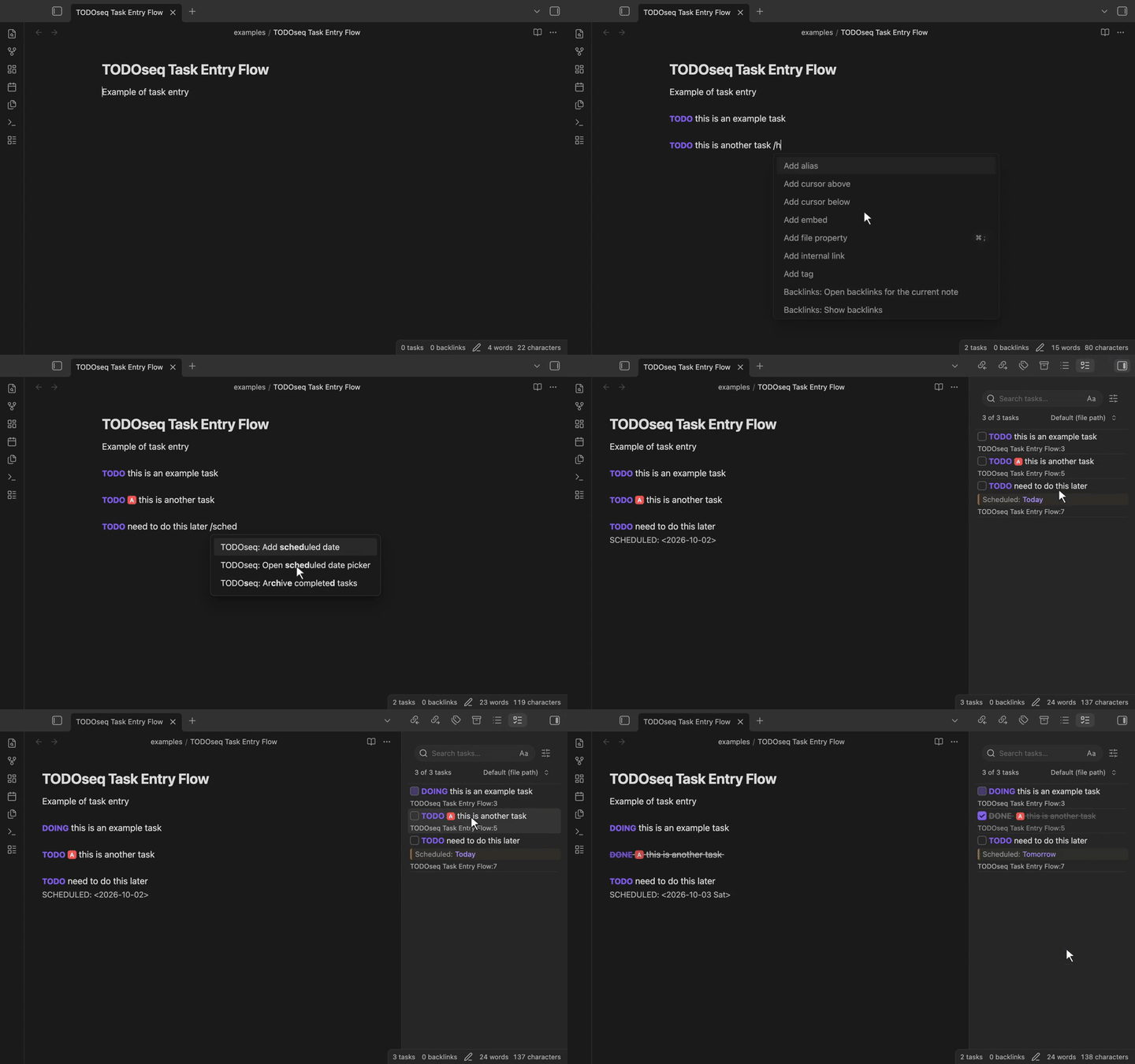
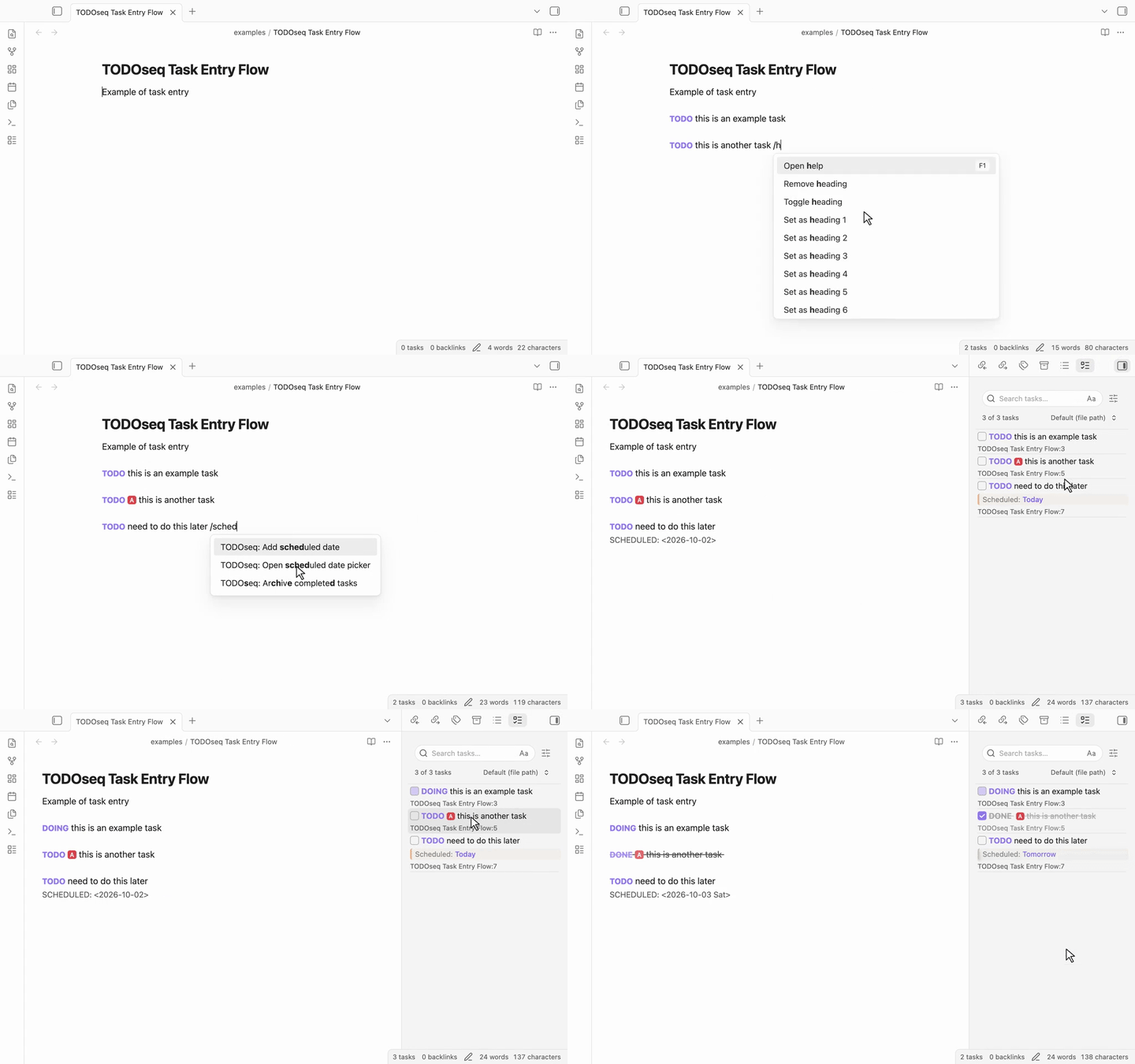
Write TODO Write report as a plain line anywhere in your vault. The keyword is the task.
Org-mode & Logseq friendly
Existing Logseq lines work as-is. SCHEDULED: / DEADLINE: dates are supported. Dual-use a vault or migrate gradually.
One Task List for the vault
Search, urgency sort, priorities, natural-language dates, repeats, embedded lists, and code-comment TODOs — collected into a single panel.
Examples
Tasks are just lines in your notes:
TODO [#A] Finish quarterly report #work tomorrow
SCHEDULED: <2026-01-31>

DOING [#B] Review pull requests #coding

DONE Submit expense report
Click any task keyword (or press Ctrl+Enter) to cycle its state in both Edit and Reading views, right in your note.
Installation
From Obsidian Community Plugins
- Open Settings → Community plugins and make sure community plugins are enabled
- Click Browse, search for "TODOseq"
- Click Install, then Enable
Once enabled, the Task List opens in the right sidebar. You can always reopen it with the command palette: TODOseq: Show task list.
Manual (development build)
- Clone the repository into your vault's
.obsidian/pluginsdirectory - Run
npm installandnpm run buildin the repository root - Enable the plugin in Settings → Community plugins
Documentation
Start
- Introduction & Philosophy
Task management approach and Logseq compatibility
- Task List
Using the dedicated task panel
- Task Entry
Task syntax, keywords, and lifecycle
Work in notes
- Editor Integration
Task display and interaction in the Markdown editor
- Reader View
Task styling and interaction in Reading mode
- Embedded Task Lists
Render live task lists inside notes
- Moving Tasks
Move tasks between notes and dates
- Command Palette
Commands for common actions
Configure
- Search
Advanced search syntax and filters
- Settings
Configuration options and customization
- Sort Methods
How tasks are ordered in the panel
- Task Urgency
Urgency sorting and configuration
- Warning Periods
Control when tasks appear before their dates
- Auto-Archive
Promote aged DONE tasks to ARCHIVED — manually or automatically
- Import
Bring tasks in from other formats
- Experimental Features
Org-mode file support and more
Contributing
TODOseq is free, open-source software.
- Found a bug? Open an issue
- Want to improve it? See Contributing
License
MIT License - see LICENSE for details.